Is Savor a to-do list, a notes app, or a reminders app?
Savor is an Intention Layer™: a calm app for thoughts and reminders. Capture by voice, photo or text, set reminders and hand cards to someone you trust. It holds each card in Now, Soon, or Later, and it is not a traditional, list-first task manager: no streaks, no dashboards.
What is an Intention Layer™?
An Intention Layer is a place to keep what you are trying to bring about, not just a list of what you have already worked out. An intention can arrive as a partial thought — a question, a possibility, something you are not ready to decide — and it keeps its thread as you add to it or change direction. A task manager tracks what you need to do; an Intention Layer holds what you mean to do until it is ready to become a task.
What is a Savor Card?
A Savor Card is the clear, plain-language version of something you captured: what it is, when it matters, and what to do next. You can edit any card, move it between lanes, or let it go.
What do Now, Soon and Later mean?
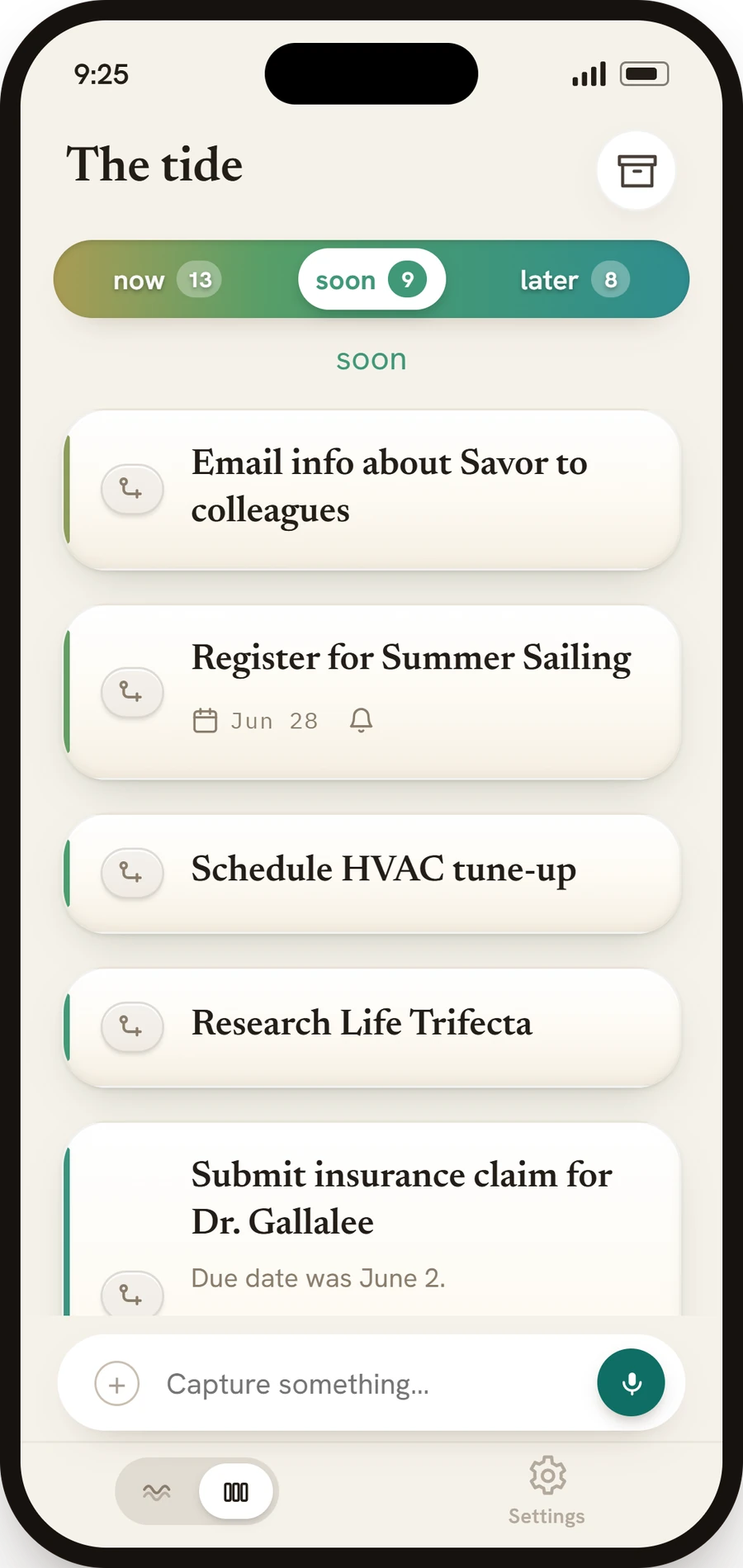
They are the three lanes your cards live in, so you see what matters when it matters. By default Now is today or overdue, Soon is the next two days, and Later is everything after that, so "call the dentist tomorrow" lands in Soon and "buy milk" in Now. You can drag a card to another lane or move it from the card itself, and you can change what each lane means in Settings.
How do I capture something?
Speak it, type it, or scan a bill, letter or flyer with the camera. On iPhone you can also say "Add buy milk to Savor" to Siri and capture without opening the app, and the card is there the next time you open it.
What can I take a photo of?
Bills, letters, and flyers. Savor reads the photo and creates a card from it, and you can correct anything it missed.
How does Savor remind me?
Savor sends two kinds of notification, and you control both: one at the time on any timed card, and a daily reminder to check Savor at 9:00 AM until you change or turn it off. On a card with a date but no time, turn on Reminder and it comes that day, at the time shown beside it, or pick another time there. Settings holds the master switch, the daily reminder and quiet hours.
Does Savor use streaks or pressure me to keep up?
No. There are no streaks, badges, scores or "don't break it now" messages. Savor is meant to be used just enough: capture what matters, trust that it is held, and return to your life.
Is Savor free?
Yes. Savor is free on iOS and Android while monetization is paused. Capture by voice, text or photo, keep intentions and reminders, hand off cards, and try Take Action in Beta without a paid plan. Product-limit counters do not block use or trigger a paywall during the pause. Fair-use and service safeguards still apply.
Do I need a paid plan?
No paid plan or upgrade is required while monetization is paused. Take Action is in Beta. Existing subscribers can manage or cancel their subscription through the App Store or Google Play.
Is what I capture private?
Your private cards, reminders, voice, and photos are not sold or shared for advertising, and they are not used to train general-purpose AI models. Voice and scans are turned into text only when you choose to capture, and product analytics contain no capture content. When you choose Take Action, Anthropic’s Claude Sonnet 5.5 handles parts of the conversation and OpenAI’s GPT-5.6 Luna handles public-information research. OpenAI’s separate moderation service checks Take Action input for every account and, for a known teen account, checks the finished Sonnet answer before it is shown. Savor separately uses limited advertising measurement described in the full policy at savorapp.ai/privacy.
Can I add a card to my calendar?
Yes. From a card you can add it to your calendar, so a date lives in both places.
Can I delegate a card to someone?
To delegate a card, open it and choose Hand this card to someone, or Hand this piece to someone on a subcard. They need Savor, and choose Take it or Not now. Once they take it, only they can change it and they get its reminders; you see a read-only copy with Take it back, and you can talk in the card's chat. They can hand it back, you can hand it again, and either of you can resolve it.